I have been working on a chatbot project using React for the frontend,
Node.js and Express for the backend, and SQL for the database.
I used JWT authentication for login and registration. While building
it, I became curious about how passwords are hashed and how they are
verified again at login.
So I started researching what this line really does internally, and
how the password is checked later:
I also had a doubt: why do we pass the number 10 as the
second argument to bcrypt.hash? A friend told me it is
just a default value, so I can put 10 or leave it out. That made me
even more curious, so I tested it 🤔 Leaving it out gives an error,
and the 10 is actually the cost factor (also called salt rounds). So
let's deep dive into how everything works internally.
2. How Passwords Are Hashed
Generating a Salt
In the first step, the bcrypt library generates a
salt before hashing. bcrypt generates a 16-byte salt,
which is encoded into 22 characters.The salt is a It contains random
string of 22 characters (letters, numbers, . and
/).
Hashing the Password with the Salt
To hash the password, we pass the password and the generated salt to
the library:
Without a salt, the same password always gives the same hash.
Example: if user1 and user2 both
choose Joel2004@ as their password, both of them get the
same hash value.
A salt solves two main problems:
Spotting duplicates. If an attacker sees two users
with the same hash, they know both have the same password. Crack
one, and both are broken. In a leak of millions of users, the most
common hash is almost certainly the one for "123456".
Rainbow tables. An attacker can precompute hashes
for millions of common passwords once, store them in a lookup table,
and crack any leaked unsalted hash with a simple lookup, in
milliseconds.
4. How the Salt Value Is Generated
In a real project, we pass the number of rounds (commonly 10, 12 or
14) to
bcrypt.genSaltSync(rounds), from the
bcrypt or bcryptjs package (npm i bcryptjs).
Just install npm i bcrypt Package.It only shows what
happens inside salt generation, so you can run it.
5. What Is the Round Value, and Why Do We Need It?
Rounds make hashing slow on purpose.
If hashing were fast, an attacker could try thousands of passwords per
second and crack them quickly. The more rounds we use, the slower
every single guess becomes.
For a user, one login gets only a tiny delay (not noticeable). For an
attacker making billions of guesses, the total time becomes huge.
The number 10 is not "10 repetitions".
It is a cost factor: the expensive key setup runs
2^10 = 1,024
times for every guess. If we increase it to 12, it runs 2^12 = 4,096
times.
6. Hashing Step by Step with the Blowfish Cipher
I worked through every step by hand with the example password
Joel2004@. The full count is 17,080,464 rounds, which is
far too much to do by hand, so I ran that part in code.
If you are interest to see How the Password is Hashing Read the full
step-by-step material.
bcrypt can't be reversed. At login, we run the same steps again with
the stored salt and cost, then compare the results.
Step 1: Split the Stored Hash
The string stored in the database always has a fixed length of 60
characters, so we can cut it by position (counting from 0):
$2b$10$/MysxsJcpbv/MXvWnzbJZ.6bUIsex0Ir4HxRlVVxzf4Dv7rdlPYfK
              |______||____________________||_____________________________|
              version      salt (22)              hash (31)
              + cost       chars 7 to 28          chars 29 to 59
Because the salt lives inside the hash string, we don't need to
store it in a separate column.
Step 2: Hash the Login Password with the Same Inputs
Suppose the user types Joel2004@. We use the salt and
cost taken from the stored hash. The important part is that the
salt and cost come from the stored hash, not from
the user. So the same inputs always give the same output.
Changing a single character (4 to 5, or J to j) changes the whole
hash. This is called the avalanche effect: the
1,024-iteration loop and the 64 encryptions spread a tiny change
everywhere. So an attacker can't tell that a guess was "close".
Step 4: Why a Constant-Time Comparison?
A normal string comparison (==) stops at the first
mismatch:
"6bUI..." vs "6bXX..."  → stops at the 3rd character (fast)
              "6bUI..." vs "Okd2..."  → stops at the 1st character (fastest)
A hacker could measure the response time to guess how many
characters were correct (a timing attack). To
prevent this, the library compares the whole hash and takes the same
time in every case:
// idea of a constant-time comparison
                  let diff = 0;
                  for (let i = 0; i < a.length; i++) {
                    diff |= a[i] ^ b[i];     // no early exit
                  }
                  return diff === 0;
If all bits are the same, every XOR is 0, so diff stays
0 and the hashes match.
8. Why Do We Use Rounds?
The key setup is made expensive on purpose:
2^10 = 1,024
iterations, and every +1 doubles the work. If your database leaks, an
attacker will hash millions of candidate passwords and compare them
with the stolen hashes. The slower each hash is, the fewer guesses
they can make per second.
A cost of 10 typically takes around 50 to 100 ms on a modern server.
That is unnoticeable for one login, but painful for someone trying
billions of guesses.
Example
For this example, assume one bcrypt hash takes about 200 ms:
Guess 1: Joel@12   → 1,024 rounds of bcrypt with that salt → ~200 ms → no match
          Guess 2: Joel@123  → 1,024 rounds again                    → ~200 ms → no match
          Guess 3: Joel@1234 → 1,024 rounds again                    → ~200 ms → MATCH! found it
If the attacker has 1,000,000 guesses and one guess takes 200 ms:
1,000,000 × 200 ms = 200,000,000 ms = 200,000 s ≈ 55.6 hours (about 2.3 days)
(on a single core, for these assumed numbers).
9. Then Why Not 20 or 16 Rounds? Why Do We Use 10 or 12?
More rounds need more CPU power. For example, with 20
rounds, one hash needs 2^20 = 1,048,576 iterations, which takes much
longer than 1,024.
Imagine a website with 1 million users logging in, with the cost set
to 20. The server would need a lot of CPU power, or the website would
slow down while hashing the passwords. And if we use cloud CPUs, that
extra computing is billed.
OWASP's Password Storage Cheat Sheet says the work
factor for bcrypt should be as large as your server performance
allows, with a minimum of 10. It is a balance: slow
enough to throttle offline attackers, but fast enough (around 50 to
100 ms) that real users don't notice the login delay.
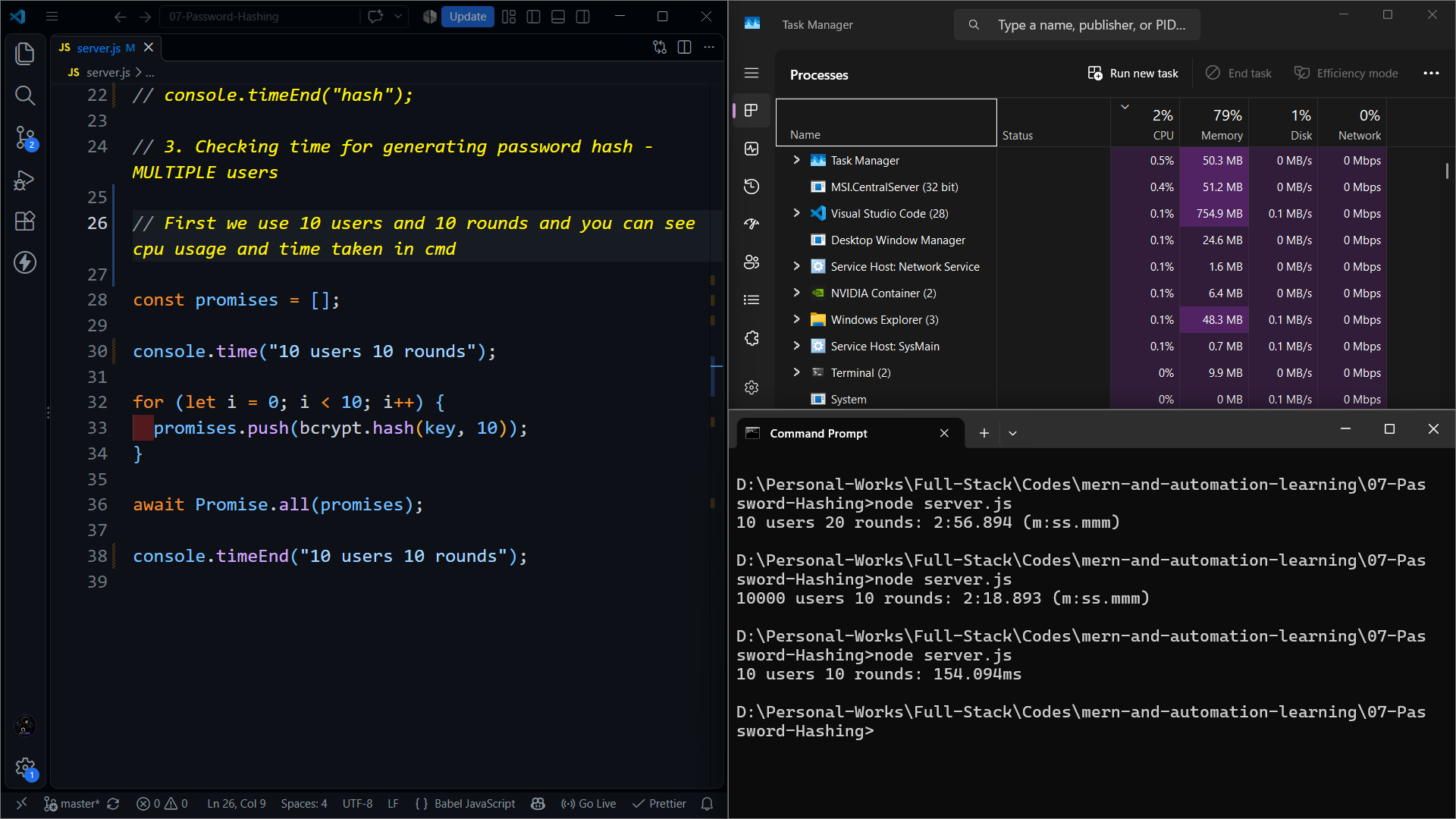
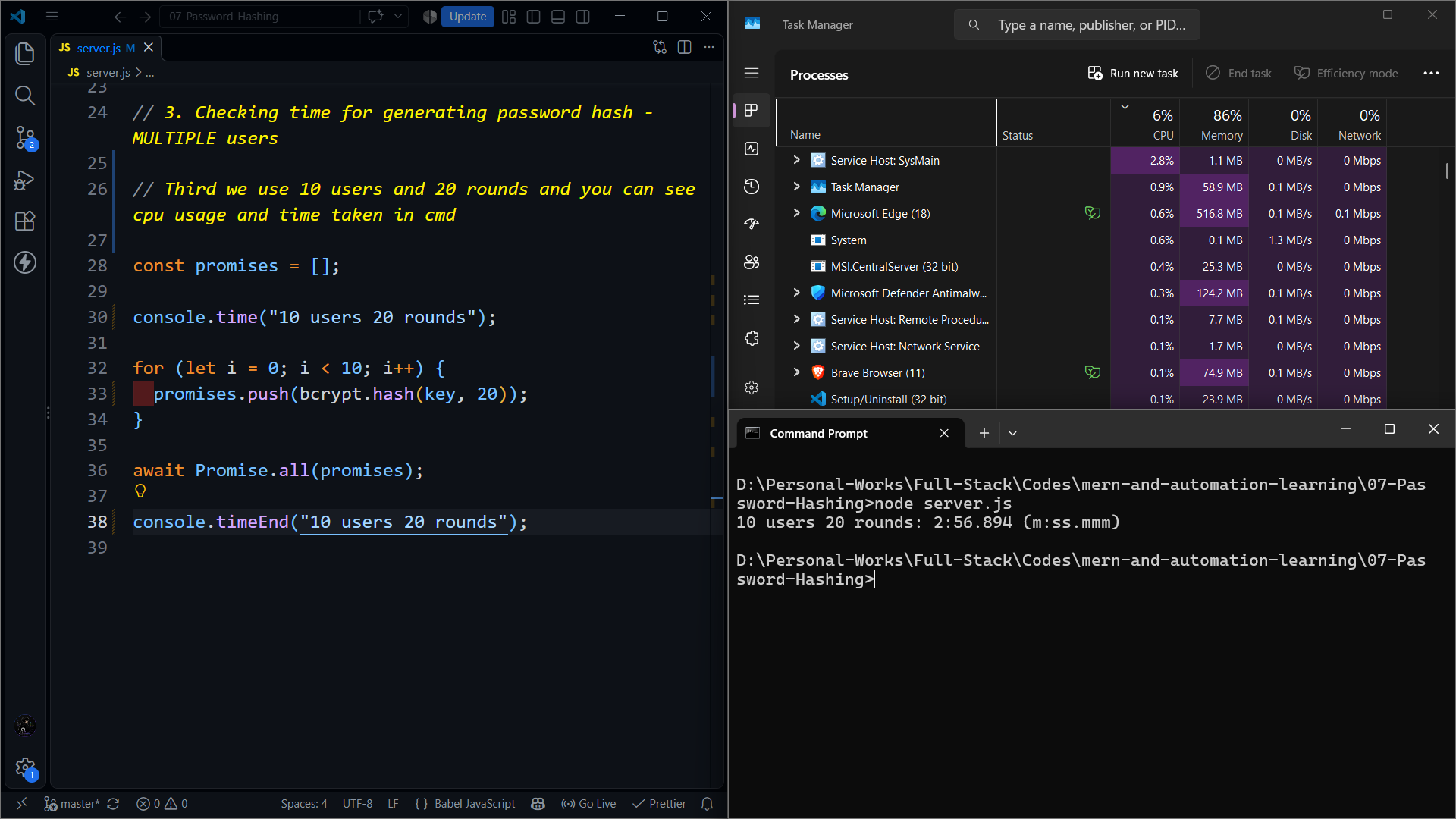
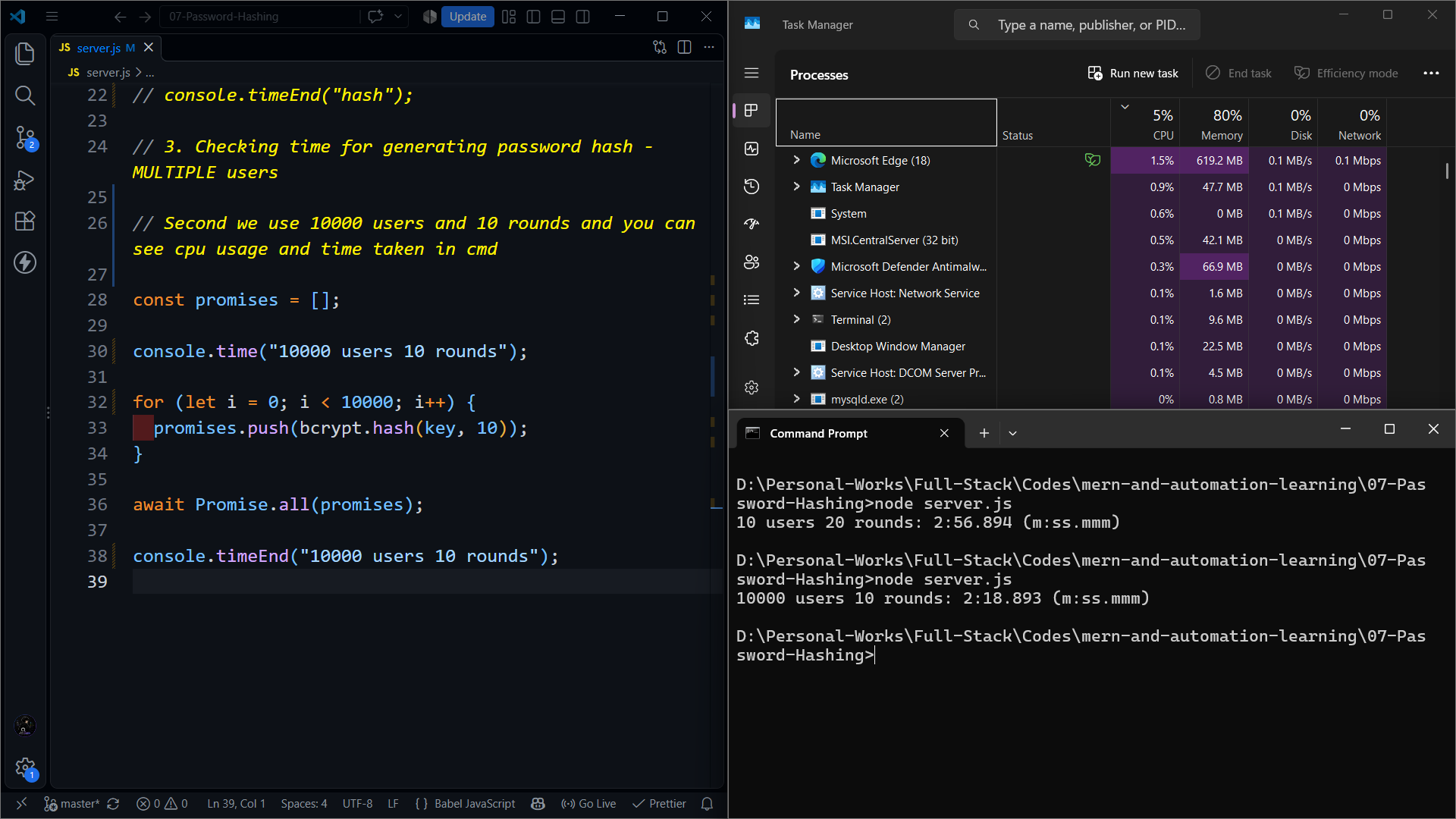
I measured it on my laptop
To see why a high cost is a problem, I hashed many passwords at the
same time with Node.js. I simulated users by hashing the same
password many times, and used console.time to measure
the total time.
Hashes at once
Cost
Total time
10
10
154.094 ms
10
20
2 min 56 sec 894 ms
10000
10
2 min 18 s 893 ms
Ten users at cost 20 took nearly 3 minutes. The cost looks like a
small number, but cost 20 means 220 = 1,048,576
iterations, which is 1,024 times more work than cost 10.
10 hashes, cost 10: about 154.094 ms10 hashes, cost 20: 2 min 56 s 894 ms10000 hashes, cost 10: 2 min 18 s 893 ms
On a real server, other users trying to log in would wait behind
these hashes. That is why the cost factor is a balance: high enough
to slow down an attacker, low enough that the server and real users
are not slowed down.
10. Why bcrypt and Not MD5, SHA-256 or RSA?
Try it yourself -> Use this
Online Hash Generator
to experiment with different hashing algorithms and compare their
outputs using the same input. *Tip: Change even one character and see
how the hash changes!*
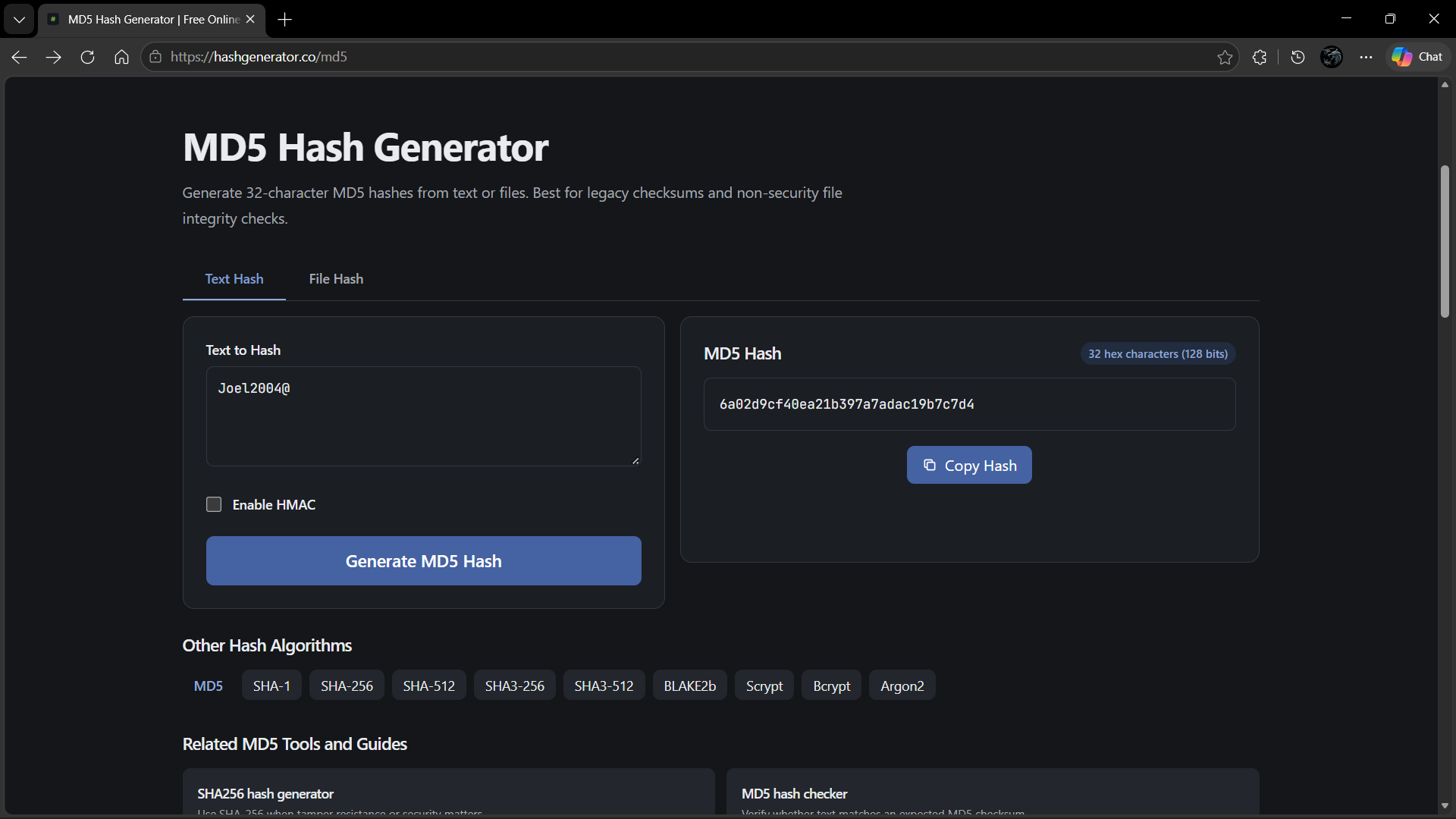
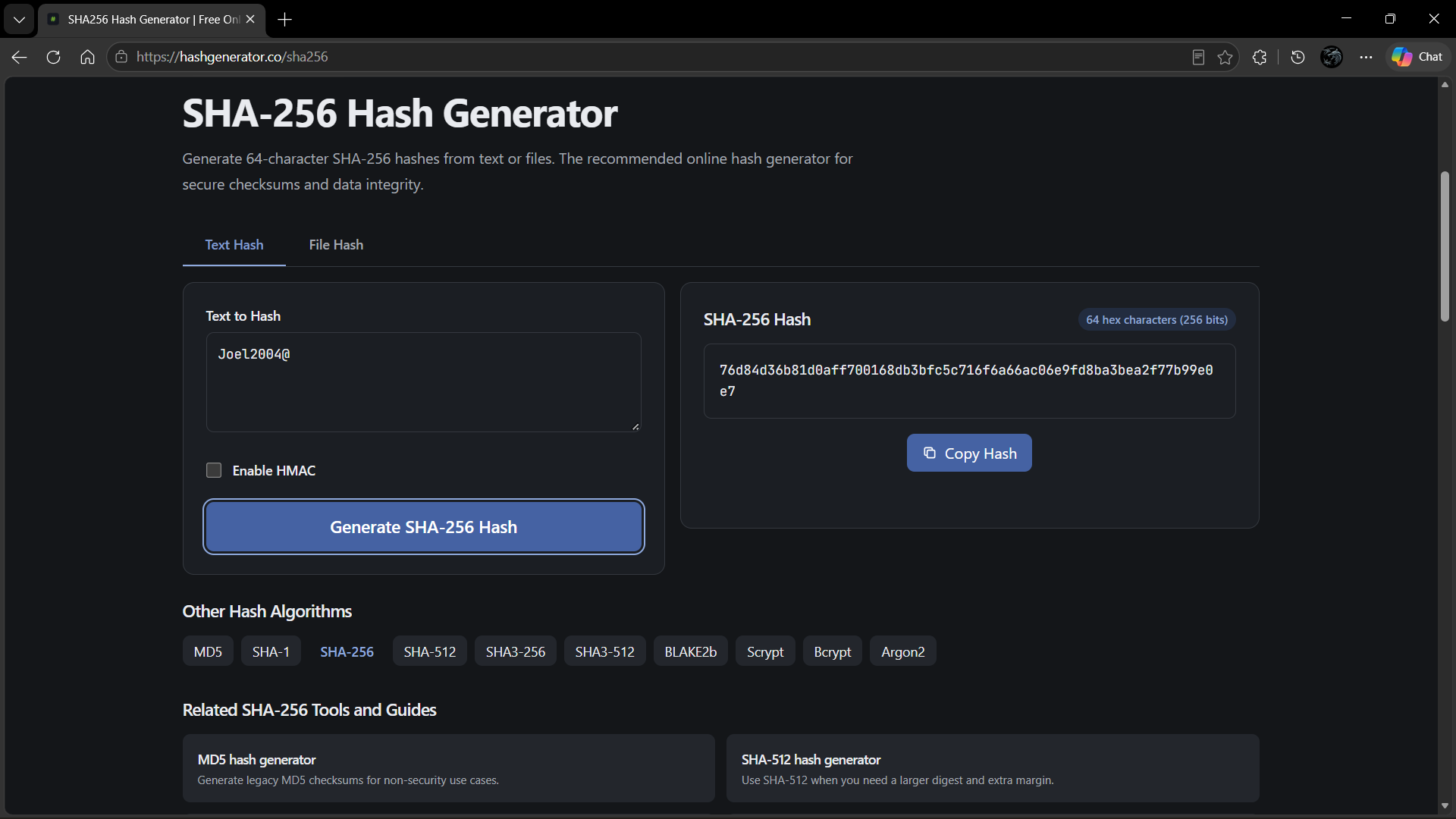
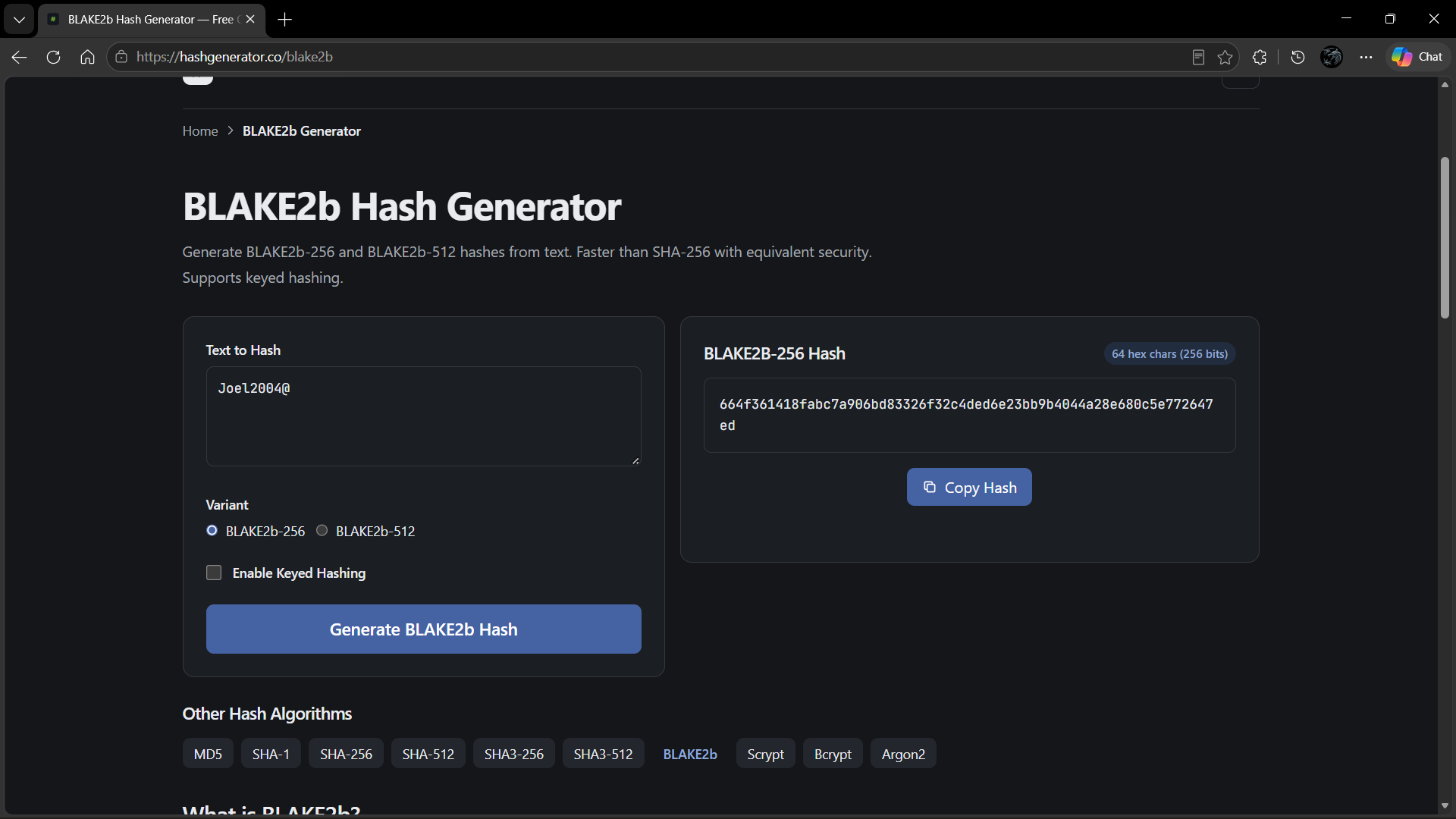
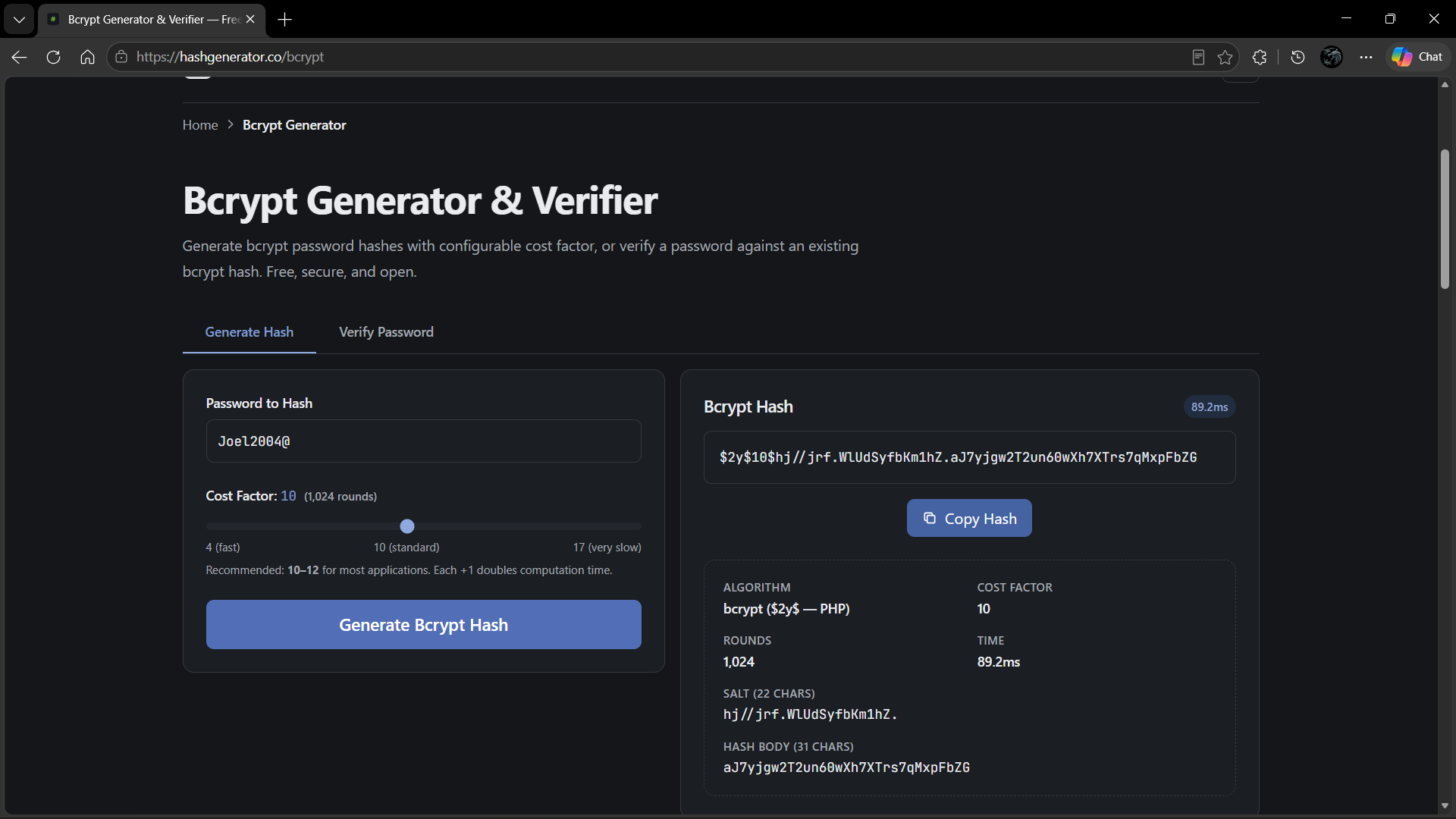
I typed the same password, Joel2004@, into an online hash
generator (hashgenerator.co) and tried a few algorithms. Click any
screenshot to open it full size.
MD5, SHA-256, BLAKE2b: same input, same output
These are deterministic. Hash the same password again and you get
exactly the same value every time.
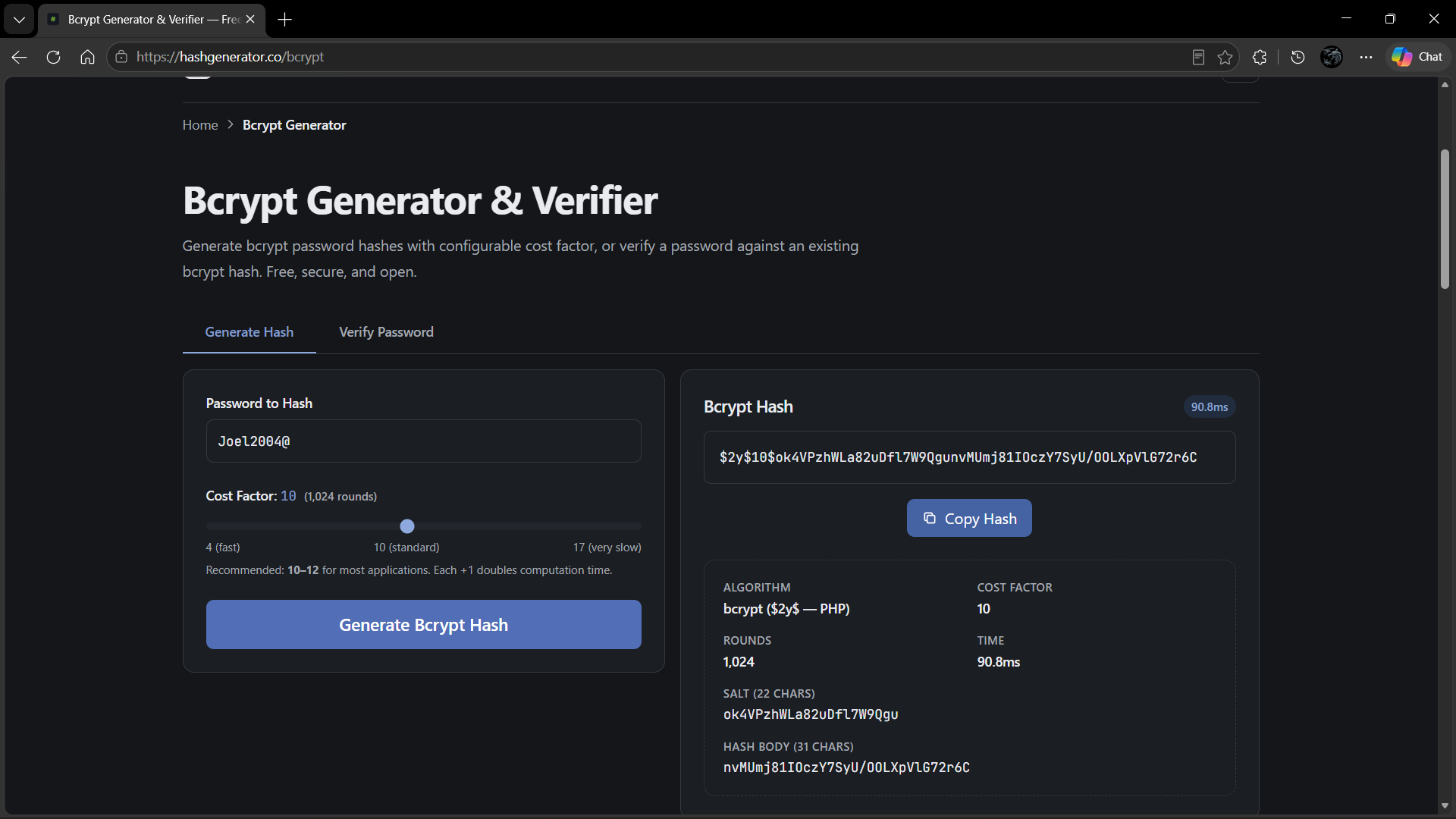
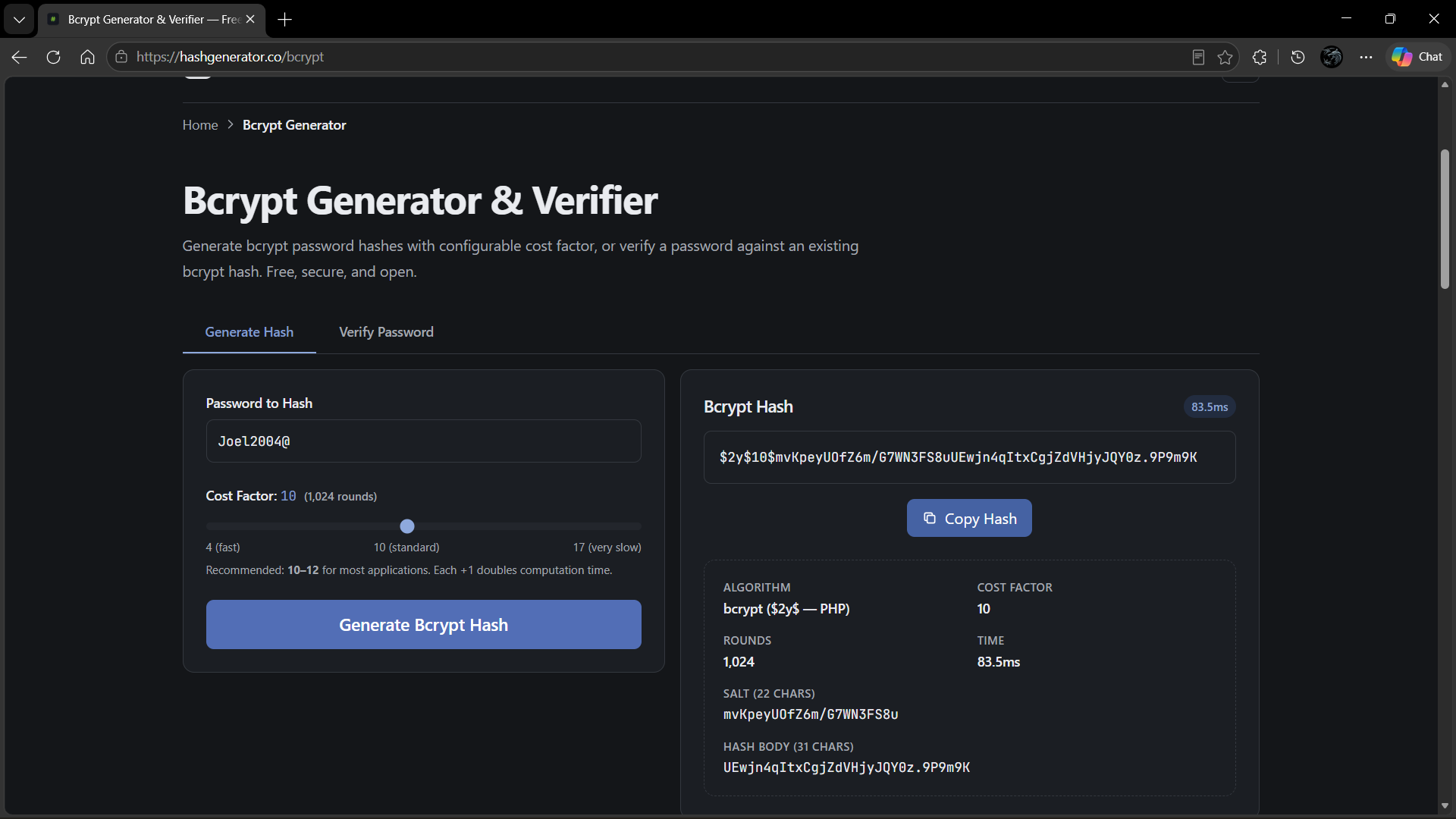
I clicked Generate three times with the same password and the same
cost factor (10). Every result was different.
Run 1: salt starts with ok4VRun 2: salt starts with mvKpRun 3: salt starts with hj//
Algorithm
Output length
Same every time?
MD5
32 hex characters
Yes
SHA-256
64 hex characters
Yes
BLAKE2b-256
64 hex characters
Yes
bcrypt
60 characters
No, a new random salt every time
This is the salt at work. Because bcrypt creates a
new salt each time, the same password never gives the same hash twice.
Login still works because the salt is stored inside the hash, and
bcrypt.compare reads it back (see section 7).
Source Code & Notes
All the code and notes from this blog (salt generation, password
verification, timing tests, Blowfish internals) are in one folder: